IAC logo The world of non-commercial film and
A-V making
Events Diary Search
The Film and Video Institute find us on facebook Join us on Facebook


Registering for the forums

Anyone can read the forums, but to "post" (write a message) you must first register. You only do that once, thereafter just login. The Registration process is straightforward:
  1. Click the "Forum" link to go to the forum front page. Then click "Register".
  2. Agree to the terms and conditions.
  3. Fill in the form and click "Submit".
  4. Our system automatically sends you an email which includes an activation key. This is a link you can click. When that has been done you are registered and can take full part in the forum.
  5. PLEASE DO NOT USE A "FUNNY" NAME.
    If your User Name seems unlikely or your ISP is in Russia or China we will be suspicious. If in doubt send an email to us to confirm that your application is genuine: asstweb@theiac.org.uk
There are also two private email lists (also called email groups) for IAC members only. Sometimes they are (confusingly) referred to as a "forum".

IAC members can obtain from the IAC office details of how to register for those email lists.


In Detail ...

1. The "Forum" link is at the top of the IAC website. Click on it. This opens the forum pages. The forums use special software, which is why it does not look like the rest of the IAC website. That software is used all over the world for all sorts of forums, which is why there are some questions we do not need for our forum.

At the top left you will see:

The Login and Register links at the start of the IAC web forum. (If you have  registered already, click the word "Login"  and sign in. After that you can write to the forum.)

If you have not yet registered, click the word "Register".

2. AWFUL WARNINGS ... the first thing you see is a slightly intimidating panel of terms and conditions. Read them but do not worry about them. In essence it says that if you want to register you must agree not to write anything illegal, obscene, offensive, threatening and so on.

Picture of the buttons where you accept or reject the terms of joining the forum. At the foot of the panel are two links. If you agree to the terms and conditions click the first link.

If you do not accept the terms and conditions click the second one.

3. YOUR INFORMATION ... If you have agreed to the terms you are taken to a form where you register some details about yourself.
Screen capture of the registration form.

IAC never gives or sells email details to any other organisation or person.

ARE YOU HUMAN? ... The second part of this page presents a random set of numbers and letters:

Screen capture of the registration form.

You are asked to type the same letters and numbers into the little box below. If you cannot make out the letters click the button marked "Refresh confirmation code" and a different set will appear.

This is a way to make sure only human beings register. If we do not do this, automated programs can sign in and put messages on the forum. These automated systems send unwanted advertising and pornography - masses of it. Luckily those systems cannot read the strange display of numbers and letters, so they cannot register. Before this check was in place we were getting 20 or more such unwanted messages every hour of the day and night, so it is worth taking a little trouble to keep them out.

At the foot of the page are two links:

NOW WAIT ... If you have everything right, click Submit. The system checks that everything is filled in properly then gives a message:

Picture of forum message 'check your email'.

All you can do now is click the link to "Return to the index page".  We suggest you go to another web page now.

This is because when you "activate" your forum membership in a moment you will be taken back to a new page of the forum. This can be a little confusing if you finish up with two forum pages open.

4. CHECK YOUR EMAIL ... When you next open your email you should find a new email ...
Picture of email heading from the forum registration system.
(Richard Palmer is the owner of the company which hosts the IAC website.)  It usually arrives in moments, but occasionally there may be a delay. If it has not arrived after half an hour, check your spam folder in case it has been put there by mistake. [If you still cannot find it send an email to: asstweb@theiac.org.uk]

The message inside will welcome you. Part of it looks like:

Picture of part of the email message welcoming new members to the forum.

Click on that long link. It will open the forum, mark you as a properly registered member and let you login.
On a few computers clicking the link in the email may not work. In that case hold down your left mouse button and drag the cursor over the link so that all of it is highlighted. Go to the Edit menu at the top of the email program and choose Copy. Now go to your web browser. Again hold down the right mouse button and drag it over whatever is in the web address bar of your browser to highlight that, go to the Edit menu of your browser and choose Paste. That will put the strange long link into your browser address bar.  Click Go and the forum will open, mark you as a registered user and let you login.

NOW SIGN IN ...

At the top left you will see:

The Login and Register links at the start of the IAC web forum. Since you have now registered, click the word "Login"  ...

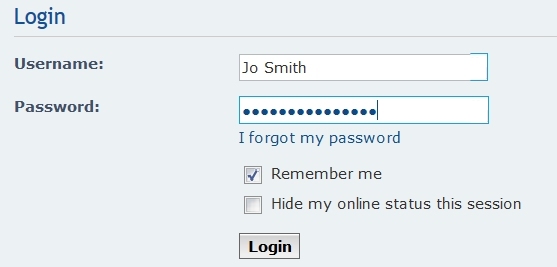
This opens a panel asking for your Username and Password:

Picture of the forum login box.

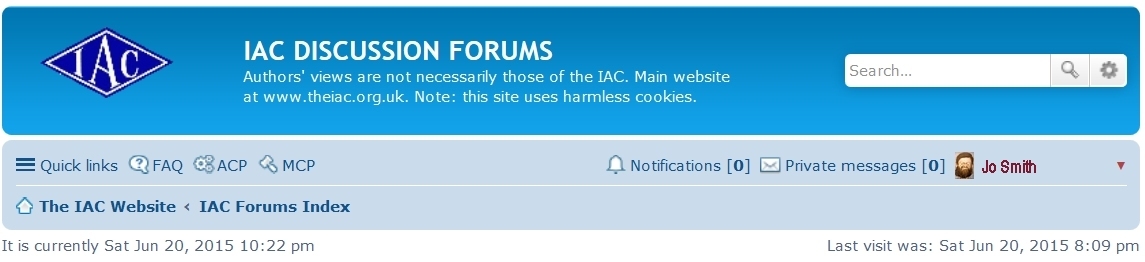
That is it. You go to the start of the forum and can write as well as read.

When you look near the top right of the forum index page you see ...

Picture of various links on the forum index page.
  • FAQ = "Frequently Asked Questions". It offers rather technical help in using the forum.
  • Search - presents a form where you can fill in words to look for. It helps you find any postings (messages) on the forum in which you are interested.
  • Members - lists the people who have already registered.
  • User Control Panel - takes you to a special page where you can, among other things, click Profile to tell other people some things about yourself.
  • View new posts - is a helpful way of listing what is new since the last time you visited the forum.
  • View your posts - lets you see whatever you have written.

FIVE FOR THE "PRICE" OF ONE ...

Before the start of 2010 there was just a single IAC Forum. Now there are FIVE subsections:

When you are in any subsection you will find at the bottom right of the page:

Screen capture from the IAC Forum.

Click on the arrow to see a list of all the forums:

Screen capture of the IAC forum.

Click on the one you want to visit next. It will then be highlighted in blue. Click the Go button and you are taken to the selected forum.

Audience silhouette. Audience silhouette.
Page updated on 02 June 2011       find us on facebook Join us on Facebook       UNICA information UNICA member
Company Limited by Guarantee No. 00269085. Registered Charity No. 260467. Authors' views are not necessarily those of the Institute of Amateur Cinematographers. JavaScripts by JavaScript Source. Menu by Live Web Institute. Art work by Miss Jo Black.