|
The world of non-commercial film and A-V making |
Events Diary | Search | ||
| The Film and Video Institute | | ||||

Build a Club Website 3: The First Page
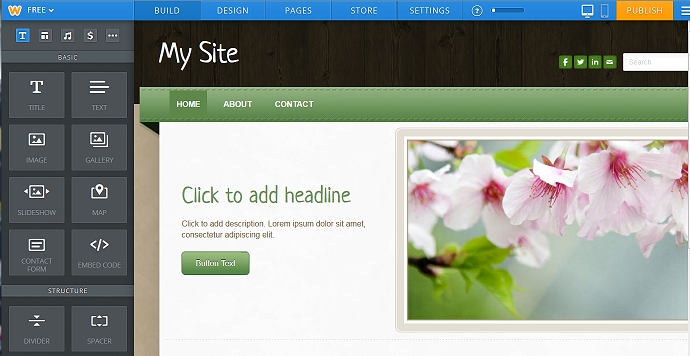
So you have joined Weebly and suddenly a scary screen like the one below
appears: bursting with options.
There are lots of options to explore later, but let's make a start ...
Notice that near the top of the Weebly page are four tabs: Elements, Design,
Pages and Settings:
|
Does
this look at all promising?
It is unfussy. Empty space and order often make a design look better than one which is packed with detail. If you want to follow our notes, pick this theme. You can always use another one later. |
Be carefulbecause Weebly will use the theme you choose for every page on your website. You can change the picture on each page but could be stuck with a big-bold-image at the top of every page whether you want one there or not.It may seem annoying but this approach makes your whole website neat, consistent and stylish. For now I suggest you use a theme like the one on the left here without a big photo at the top. Like most things in Weebly you can always change your mind and pick a different theme later. |
| Note: with Weebly you can change the theme you use at any time ... without losing any work you have done. Your pages simply adapt to the new theme. You can use the "Preview" option to check out the possibilities. | |
Click the Use Theme button. This is the start of your home page. |
| More, more, more ! - Click here for part 4 - More Pages. |
|
Jump to: Getting started |
Weebly sign up |
your first page |
additional pages pictures & words | Coming Soon | forms, emails, maps & videos
|
|
|
|
Page updated on
17 January 2011
|
| Company Limited by Guarantee No. 00269085. Registered Charity No. 260467. Authors' views are not necessarily those of the Institute of Amateur Cinematographers. Website hosted by Merula. JavaScripts by JavaScript Source. Menu by Live Web Institute. Art work by Miss Jo Black. |