
|
The world of non-commercial film and A-V |
Events Diary | Search | ||
| The Film and Video Institute |  Join us on Facebook
| ||||
Build a Club Website 7
|
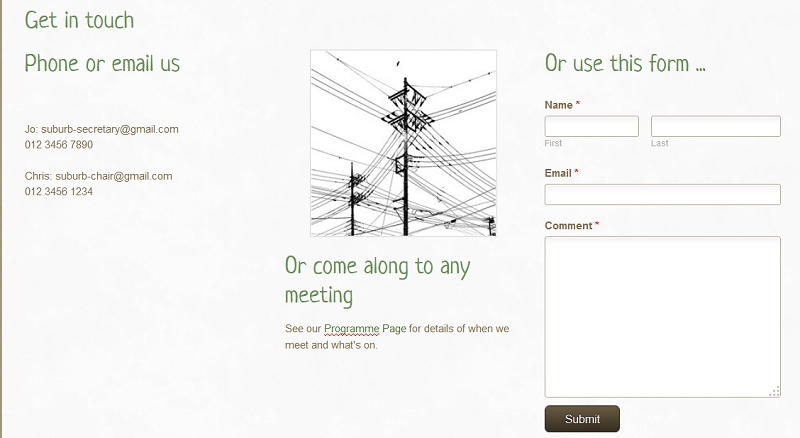
| Using the technique shown in the previous lesson, this has
three columns side-by-side. Left column: a list of names, email addresses and telephone numbers. (The emails are links.) Centre column: a free image from Weebly's collections and a text element with a few words and a link to the Programme Page. Right column: a form element from the Weebly toolbar. Users can write in it and their message is sent to the club. |
Forms Drag the Contact Form element from the toolbar onto the page.
|
 When the form is on the page, click
once on it and some buttons appear above it. When the form is on the page, click
once on it and some buttons appear above it.
Click Form Options and the forms propery box appears. |
|
Email submissions to is where you type in the email address that you want messages to go to. Weebly fills in automatically the email address you used to register with them, but you can change it. Here you see my email address as IAC Assistant Webmaster. Confirmation text is what people see on the page after they have sent their message. You can edit it to something friendlier or more appropriate. Spacing & Advanced let you tweak a few more things. One you might consider is changing the name of the button on the form from "Submit" to "Send" which more people will understand. Weebly's toolbar also offers a lot of options for designing or modifying forms, but we don't need those to get started.
|
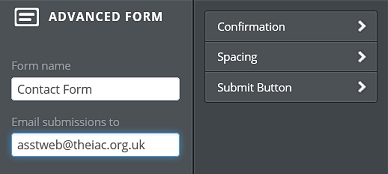 Form name lets you change the title of
the form.
Form name lets you change the title of
the form.
Emails and SpamSpam (unwanted advertising emails) is a plague. There are programs which scour the internet for any email address they can find and add it to lists for spammers to use. Using a contact form (as above) stops those programs finding an email address. That is why we recommend you to use a form if you are at all worried about spam. Having said that, most people have good spam filters, either applied automatically by their email service or that they have bought separately and have little trouble with spam. |
If you do want a club email addressRemember that even your rough website will be visible on the web. You can get free email services from (among others) Google, Yahoo, Windows Live and GMX. Set up email with one of those and you can probably choose an email address like "midlands-movies@gmx.com" You should share the username and password of this special email account with a few other club officers, so that if you are away, they can handle any enquiries. Do not share your normal personal email sign-in details! |
"See our work ..." page/s |
Weebly provides tools on the Toolbar to let you create a
Gallery of pictures, but as a video club you really ought to
have examples of work by the club and its members in the
website: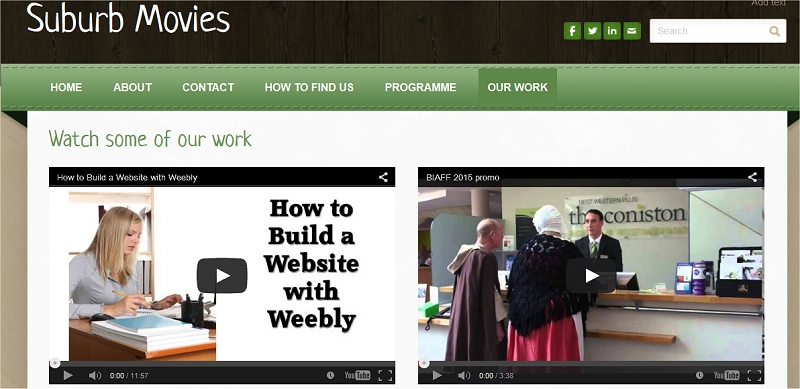 |
|
You can also place these YouTube elements side-by-side just like Text and Image elements. Here we have cheekily added one of the hundreds of videos about using Weebly that you can find online and the promotional film for BIAFF 2015. You can put two more YouTube elements below these and so on ... but I do not recommend more than four on a page. For each video that you place on a page, the viewer's web browser has to go off to YouTube and find the relevant movie and send its starting image and controls to your page. That takes a small amount of time for each one. You can, of course use several pages to showcase your movies. |
|
|
Other Video ServicesI f
your videos are on another video hosting service like Vimeo or
DailyMotion, you will need to use a slightly different
technique. f
your videos are on another video hosting service like Vimeo or
DailyMotion, you will need to use a slightly different
technique.Drag the Embed Code element onto your page. |
|
When you click the "Edit Custom HTML" the white panel below opens up. In principle you can use this to type in all sorts of special codes if you know the HTML language in which websites are written. In practice its common use is for just what we want. Into this box you paste a set of embed codes you have got from your video hosting website. You can also use this technique for YouTube but they waste effort when Weebly has a special tool for that. On most video hosting sites there are options for sharing the video. Usually one of the options is called embedding. That provides some code which you can copy and then paste in here.
|
|
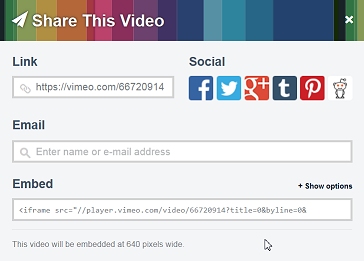
On Vimeo click the icon near the top right of the video and a set of options appears. Notice that the last line says the video will be embedded at 640 pixels wide. Look just above the Embed code and click the +Show options link. |
|
The Size fields can be changed. The first is video width the second its height. Change the width and the height will automatically adjust to keep the aspect ratio correct. Youcan experiment with other choices. Just above the picture you see the code you need. Click in that field and it will all be selected. Copy it. That is the code you paste into the Weebly Embed Code box. |
Have a look at your website liveClick the friendly orange Publish button at the top right of the Weebly page. When the "Website Published" page appears, click the link and look at the website you have created. You are looking at it on the internet. You could turn off your computer and use someone else's to go to the address and see it. If you have access to a tablet or smartphone try using that to see it. (Weebly automatically adjusts for the smaller screens of phones etc.) Now you really do deserve to congratulate yourself on the first draft of your club website. Go back to Weebly, click the "Close" cross at the top right corner. When the start screen appears click "Logout". Go and have tea, coffee or something stronger if you wish. Next time you ask your web browser to go to Weebly and you login, you will see the name of your website listed there along with three buttons. When you click Edit you can revise any aspect of your site.
To boldly go ...This exercise has produced only the bare bones of a website. The next step is to have a long, hard think about what should be on it.
|
 Scroll
down the toolbar and you will find a YouTube element. You can
drag this onto a page and have any YouTube video appear there.
Scroll
down the toolbar and you will find a YouTube element. You can
drag this onto a page and have any YouTube video appear there.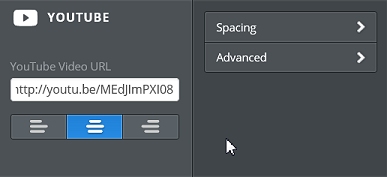 When
you first drop the YouTube element on the page you will not
see your own video, of course. Click on the display and the
properties box appears.
When
you first drop the YouTube element on the page you will not
see your own video, of course. Click on the display and the
properties box appears.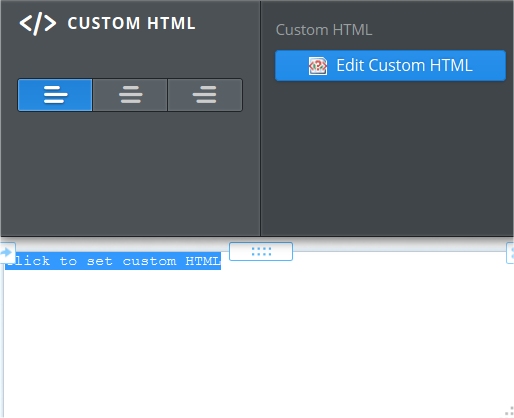 The
left, centre and right justify buttons are probably familiar
to you by now.
The
left, centre and right justify buttons are probably familiar
to you by now.
 The
critical part is that you need to make sure the embed code
will not try to make the video picture too wide. The default
code the video hosts offer is often 650 pixels wide. On Weebly
that is fine if you only have one video per row, but if you
want two, you have to specify a maximum width of about 350
pixels.
The
critical part is that you need to make sure the embed code
will not try to make the video picture too wide. The default
code the video hosts offer is often 650 pixels wide. On Weebly
that is fine if you only have one video per row, but if you
want two, you have to specify a maximum width of about 350
pixels.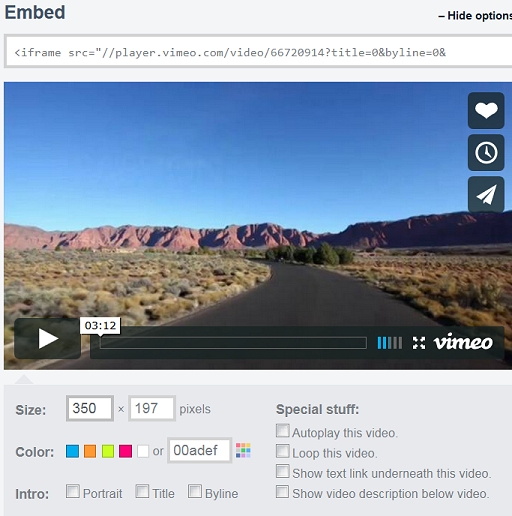 You
are shown the video as it will appear on your website.
You
are shown the video as it will appear on your website.
| You have enough to start a
serious website using Weebly now, but there is more to learn. The general articles (starting here.) about website design are supplemented by a series of Weebly Tips: |
|||||
Jump to: Getting
started | Weebly sign
up | your first page |
additional pages
pictures & words | Coming
Soon | forms,
emails, maps & videos
Share your passions.
Share your stories.

